
Setup MCP tools for Claude Code for Windows users: The most obfuscated thing no one mentioned on the web
... which I finally figured out after a week of tinkering 😅


So, you’ve installed Claude Desktop, everything works beautifully, and you think:
“Hey, I’ll give Claude Code a shot — CLI-based Claude sounds even cooler!”
Fast forward 30 minutes later, and you’re deep into documentation, scratching your head about environment variables, stdio types, and Windows command wrappers. It’s just feels like all the Unix/MacOS users just try to convince you to just give up and go buy a MacBook machine.
This post is for all of die-hard Windows brave souls who tried to make Claude Code work on the OS.
🔍 Claude Code vs Claude Desktop — What’s Different?
Let’s start with the basics.
+------------------+---------------------------+------------------------------+
| Feature          | Claude Desktop            | Claude Code (CLI)             |
+------------------+---------------------------+------------------------------+
| Setup Time       | ~5 minutes                | Caffeine level dependent ☕    |
| OS Compatibility | Native Windows app        | Linux/macOS (Windows = 🩹)     |
| Config Location  | AppData\...\config.json   | C:\Users\...\claude.json      |
| UX               | Click and go              | JSON & shell gymnastics       |
+------------------+---------------------------+------------------------------+
🔧 The “.claude.json” File You Never Knew You Needed
You can very easily add and configure MCP tools in Claude Desktop using its `claude_desktop_config.json` file stored in a more-intuitive path:
C:\Users\{your_name}\AppData\Roaming\Claude\claude_desktop_config.json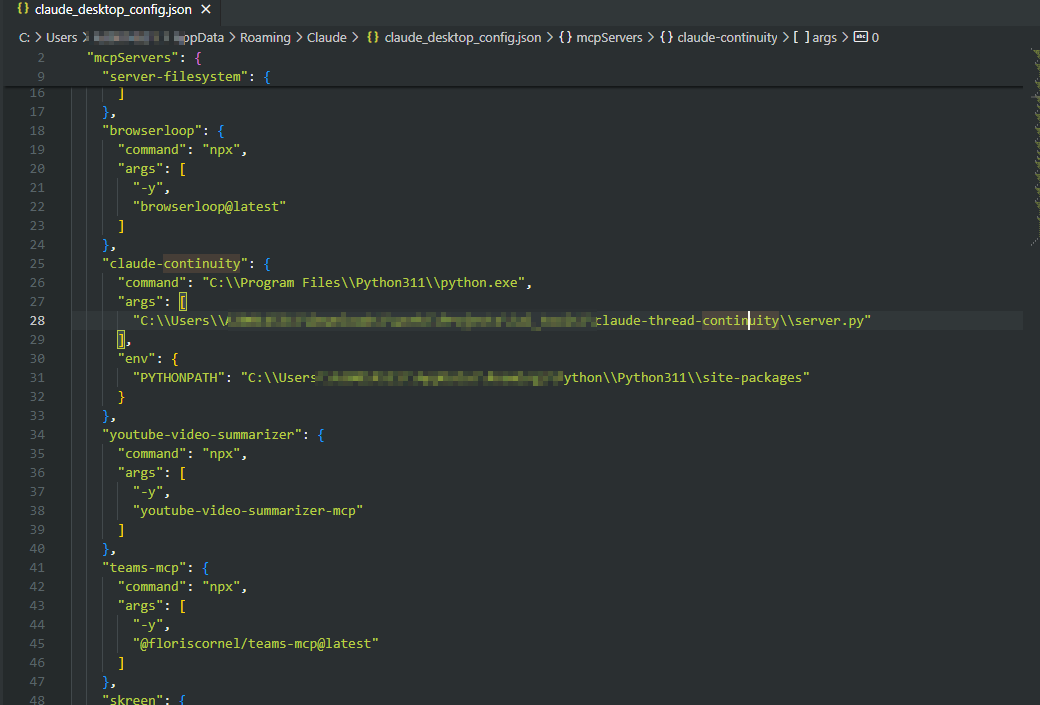
Claude Code for Windows on the other hand, keeps things more… spartan. The irony is that where Claude Code store is actually does not “explicitly” mentioned on Anthropic’s mcp setup documentation . In fact it’s actually provide the a different filename `.mcp.json`. I literally scratched my eye out to look for this file on my Windows files folder but cannot find it

Until I really follow the breadcrumb and discover that it’s actually this file here:
